

Manuco Electronics has been distributing commercial display hardware from Thomastown since 1987. Across nearly four decades of commercial display work in Australia, the pattern recurs: the spec sheet a retailer hands the AV integrator usually says “55-inch screen”. The screen they need depends on which of those five locations the screen has to survive in.
Each retail category drives a different specification stack. A shopfront screen rated for 350 nits is invisible by 11am in a west-facing window. A video wall built from consumer panels has uneven brightness across the array within six months. A wayfinding kiosk specified without anti-microbial coating becomes a customer-experience problem for the centre management team. The starting point is what the display is doing, not the screen size on the spec sheet.
What retail store digital signage is doing
Retail digital signage covers six display categories, each solving a different problem. The shopfront window display attracts foot traffic before the customer enters. The video wall builds brand presence inside the store. The wayfinding kiosk directs movement through the floor. The queue management display reduces the perceived wait at service counters. The point-of-sale display reinforces the purchase decision at the register. The interactive product display extends product information beyond the shelf or rack.
Each category drives different brightness, durability, touch, and integration requirements. Digital screens in retail are not interchangeable across these roles.
| Category | What it does | Spec drivers |
|---|---|---|
| Shopfront display | Attracts foot traffic before the customer enters | High brightness for window placement, anti-glare, 16/7 panel rating |
| Wayfinding kiosk | Directs in-store movement | Touch durability, anti-microbial coating, AS 1428 accessibility |
| Video wall | Builds immersive brand experience | Pixel pitch, bezel width, panel calibration, content management |
| Queue management | Reduces perceived wait time | Dual-zone CMS, audio output, software integration |
| Point-of-sale display | Reinforces purchase decision at register | Compact form factor, 16/7 rating, easy maintenance |
| Interactive product | Extends product information beyond shelf or rack | PCAP touch, durability, RFID/NFC integration |
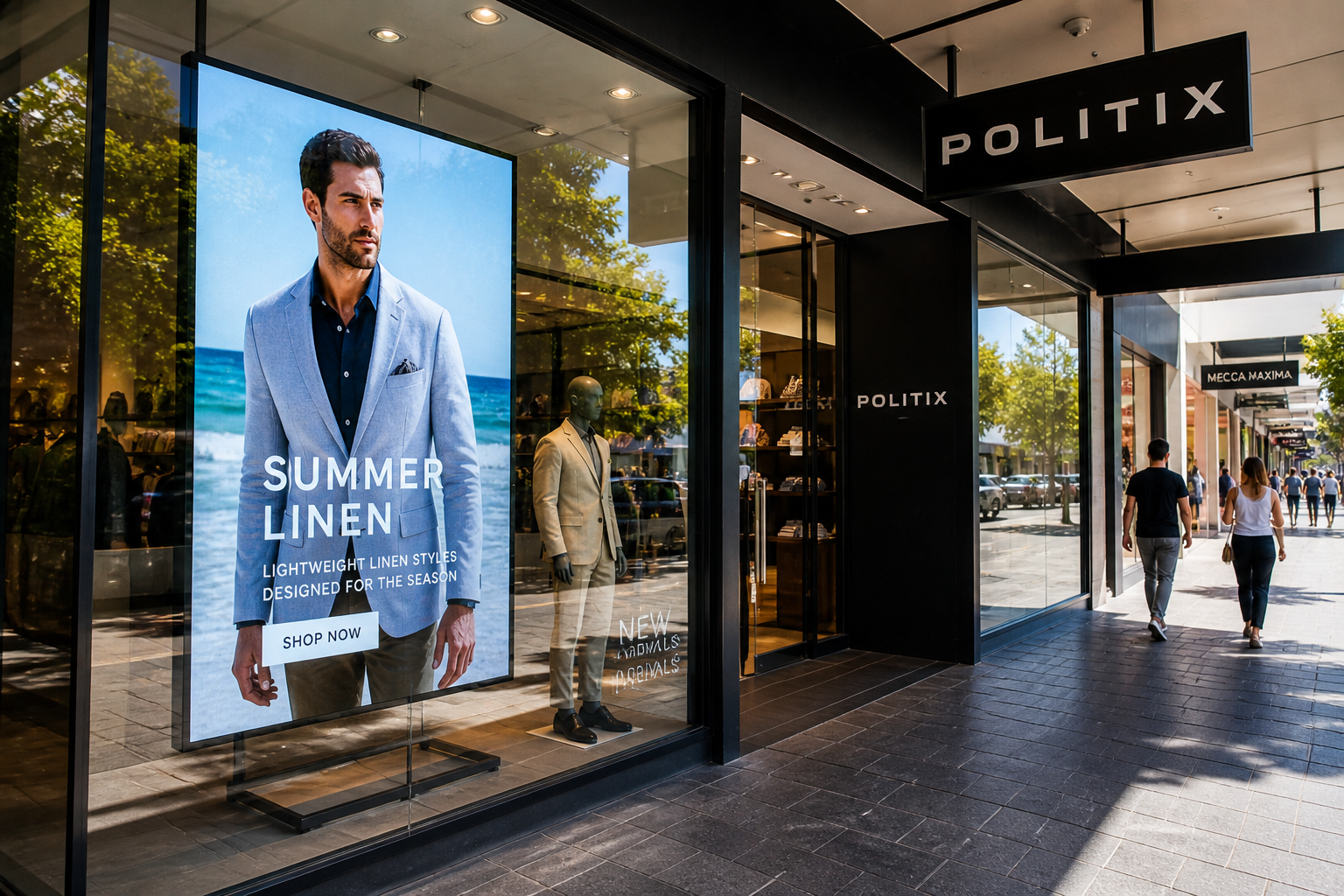
Shopfront and window-facing displays
The shopfront is the highest-leverage display surface a retail store owns. Every shopper inside a quarter-kilometre catchment passes the front of the store before they decide whether to enter, and the shopfront display has to read through whatever the ambient light condition happens to be at that moment.
A standard commercial indoor panel runs 350 to 700 nits. Industry consensus on shopfront window displays settles at 2,500 to 3,500 nits for displays facing into a covered shopfront strip, and 3,500 to 5,000 nits for west-facing or south-facing exposed windows where direct afternoon sun is the design condition.
Brightness alone doesn't carry the shopfront. Three other specifications matter:
- Anti-glare coating. Without it, the display becomes a mirror for everything in front of the glass. Customers see their own reflection on the screen.
- Heat management. A sealed window display in summer behind glass can hit 60°C internal cabinet temperature without active cooling. Standard panels black out at the liquid crystal layer when this happens. High-Tni or industrial-grade liquid crystal panels engineered for direct sun exposure handle this where consumer panels do not.
- Panel duty rating. Most retail trades 12 hours, but displays often run 16 to 18 hours daily once content scheduling and out-of-hours promotional content is included. Consumer panels rated for 8 hours daily fail inside 12 months in this environment. The commercial 16/7 or 24/7 rating exists for this reason.
The shopfront for a Bourke Street flagship in Melbourne is a different exposure environment from a covered Chadstone tenancy. Across Manuco's range from partners including Hyundai IT, AUO, AD Link and DigitalView, high-brightness commercial options sit across multiple model lines and price points. That gives the specifier room to match the panel grade to the actual exposure on each site.
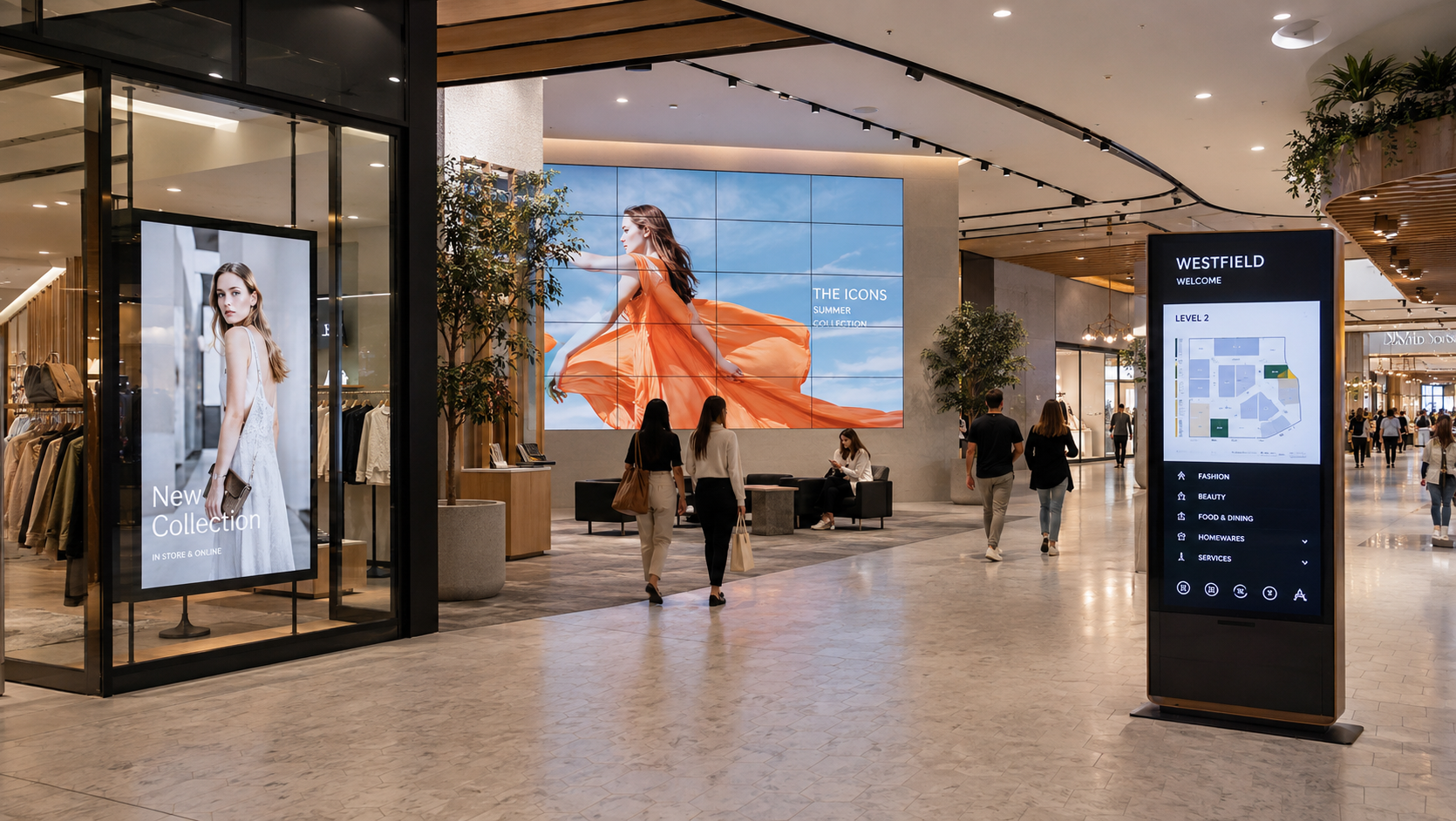
Video walls and large-format display
The video wall behind the cash wrap, in the atrium, or built into a feature wall is a separate specification problem. The two main technologies are LCD video wall (multiple LCD panels arrayed together) and direct-view LED, where the LEDs themselves form the image.
Pixel pitch determines viewing distance. The general rule of thumb across commercial display vendors is roughly one foot of viewing distance per millimetre of pixel pitch:
- 1.5mm pitch. Close-range walls. Cash wrap installations, premium boutique installations, displays viewed from one to two metres.
- 2.5mm pitch. Mid-distance walls. Atrium installations, feature walls viewed from three to five metres.
- 4mm and above. Large-format walls viewed from longer distances. Suitable for atrium-scale installations where viewers are eight metres or more from the screen.
Bezel width is the second specification driver for LCD video walls. Ultra-narrow-bezel panels with combined bezel widths under 1mm are visually almost seamless. Standard bezel widths of 3 to 5mm read as a tiled grid up close and become distracting on close-range installations. The cost premium for ultra-narrow bezel is significant; the spec call depends on viewing distance and brand expectation.
Calibration matters across the wall. Panels are not identical out of the box, even within the same product line. Without colour and brightness calibration across the array, the wall reads as a quilt of slightly different colours. The visual coherence depends on calibration as much as on panel selection, and calibration is a recurring requirement scheduled alongside the broader maintenance cycle.
Wayfinding, kiosks and interactive displays
Wayfinding and interactive kiosks carry the spec for high-traffic shopper-facing touch. The technology decision is between projected capacitive (PCAP) for high-precision shopper touch in high-traffic environments, and infrared (IR) for larger interactive surfaces where the touch budget is less critical. PCAP handles thousands of touches a day without degradation. IR is more cost-effective for screens above 65 inches but suffers in direct sunlight and dusty environments.
Three other specifications drive the kiosk spec call:
- Anti-microbial coating. Shopper expectations on hygiene shifted post-2020. Centre management teams at major Australian shopping centres now require it on customer-facing touch surfaces.
- Accessibility compliance. Australian Standard AS 1428 covers reach ranges and contrast ratios for accessible interactive displays. Touchscreen kiosks installed in customer-facing roles in commercial retail environments have to meet this standard. Audio output for visually impaired shoppers is part of the same requirement set.
- Vandal resistance. Unattended kiosks need anti-shatter glass, IK10 impact rating, and recessed or screw-in bezels. Pop-out USB ports and exposed cabling become reliability problems within the first year of operation.
For supermarket cold sections, butchers and fishmongers, glove-compatible touch is the additional specification. Standard PCAP doesn't read input through a thick glove. Specifying glove-compatible PCAP at design stage is the way to handle cold-zone retail; the panel is hard to retrofit later.
Queue management and customer-facing operational displays
Queue management displays have a defined function: show the queue number to the next customer, and use the rest of the screen surface for promotional content. The standard pattern is a dual-zone content management system where the top half or one side runs queue numbers and the rest runs promotional video.
Audio output is the specification that gets overlooked. The chime or ding-tone when the queue advances is part of the accessibility requirement and part of the customer-experience design. Specifying a queue display without audio output usually means retrofitting external speakers later.
Integration with the queue management software is the second specification. Q-nomy, Qmatic, SimpleQ and Wavetec each have different display compatibility profiles. The hardware spec depends on which platform the retailer or service operator runs.
The third specification is duty rating. A 24/7 panel rating matters even when the store is only open 12 hours. Queue displays are typically the first thing turned on (pre-trading staff briefing) and the last thing turned off (post-trading reconciliation). Total daily on-time often exceeds 14 hours.
Why consumer screens fail in retail
Consumer panels are engineered for 8 hours of daily viewing in a domestic lounge. Putting them in retail environments creates a predictable set of failures:
- 12-hour trading days plus content scheduling cycles push consumer panels well past their rated duty cycle.
- Manufacturer warranties on consumer panels void on commercial installation.
- Static branded content (logos, menu items, queue numbers) burns into consumer panels within 6 to 12 months. Commercial panels are engineered with image-retention prevention.
- Power supply and inverter failure rates climb sharply on consumer panels in 24/7 operation.
- When the panel fails in a flagship store window, the cost is the panel plus the lost days of foot-traffic conversion. Replacing under a consumer warranty typically takes weeks of back-and-forth with the original retailer.
Multi-site rollout considerations
Specifying for a single store is one problem. Specifying for an 80-store rollout is a different problem. Four constraints matter:
- Spec lock at project planning stage. Once 80 stores have been spec'd to the same hardware, the spec needs to lock down for the duration of the rollout. Manufacturer product lines on commercial display ranges turn over inside 18 months. A 24-month rollout that started on one panel line and ends on the replacement product line is a maintenance and spare-parts problem for the next decade.
- Hardware availability over the rollout period. Selecting hardware that will still be in production in month 22 of a 24-month rollout means working with a distributor that holds end-of-life forecasting on the partner range. The latest-model product page is the wrong reference for a long-rollout spec.
- Consistent CMS architecture across sites. Each store running a different content management system fragments the support model. The rollout spec includes the CMS, the connectivity, the content workflow and the licensing model alongside the panel.
- Local support and replacement turnaround. A failed display in a regional store is offline for as long as the supplier takes to ship a replacement. Manuco holds stock in Thomastown across the commercial display partner range, which makes the difference between days and weeks for replacement turnaround on multi-site networks.
What this means for retail specifiers in 2026
The shift from static printed POS to digital signage in Australian retail is now well-established at the larger end of the market. The cost of entry has come down to where mid-tier retailers can deploy at multi-site scale. Specifying for that environment means committing to hardware that will still be serviceable in year 5 of the rollout, supportable by an Australian distributor, and replaceable inside a normal trading week rather than after a 6-week shipping lead time.
The five-display project from the opening of this guide is typical for a flagship store fitout. The framework underneath holds across categories: define what the display is doing, match the panel grade and integration to that role, and confirm the supplier can support the hardware over the lifetime of the deployment. The framework holds for a single store and for the 80-store rollout.
Manuco specifies retail display hardware across multiple panel partners and stocks locally in Thomastown. Brief us on the project scope and we'll work through the hardware specification with you.