

Manuco Electronics in Thomastown supplies commercial display solutions for business, government, education and industrial projects across Australia and New Zealand. For office and workplace projects, the useful question is not how many screens the site needs. It is what each screen has to do, who controls the content and how the display will be supported over time.
What corporate digital signage is used for
Corporate digital signage is a network of commercial screens used to show visitor, staff, operational or brand information in an office or corporate site. It can be a single lobby display, a room-booking panel or a multi-site content network managed by a central communications team.
Most workplace signage falls into two broad groups:
- Visitor-facing signage: Reception screens, lift-lobby displays, building directories, wayfinding screens, corporate video walls and customer briefing displays.
- Internal workplace signage: Staff communication screens, operations updates, safety notices, meeting-room displays, executive dashboards and multi-site internal communications.
The applications below are common in office and workplace projects:
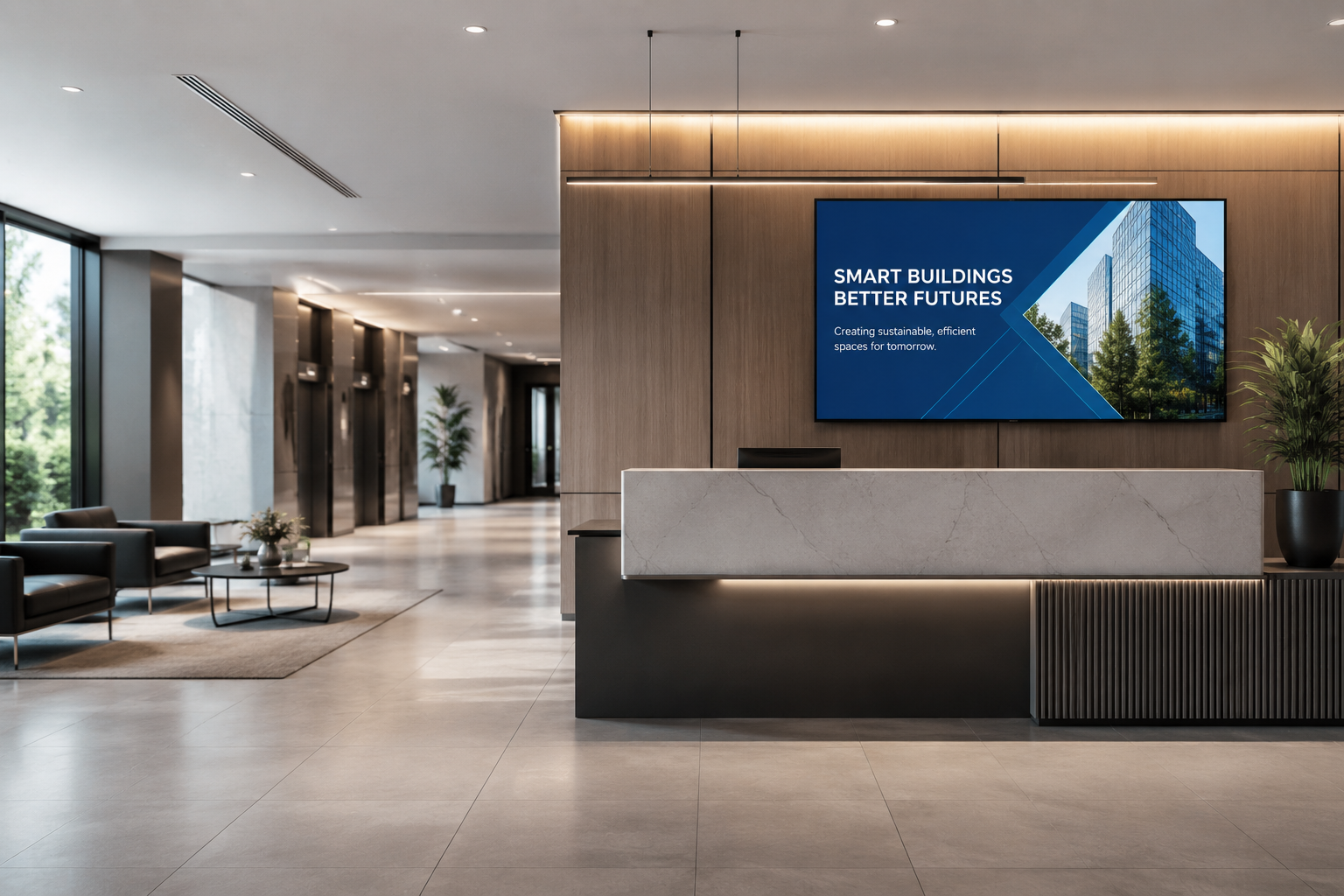
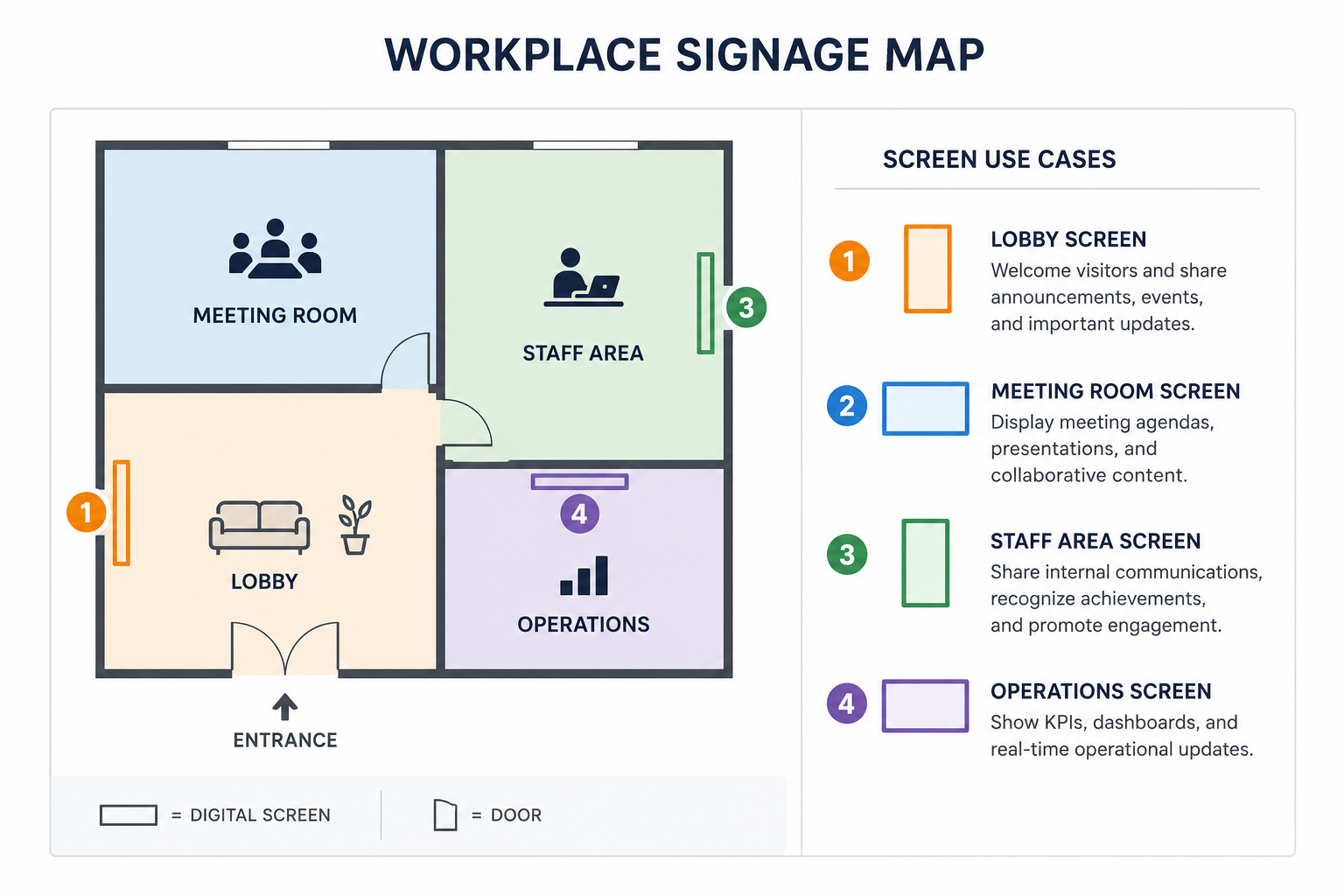
- Reception and lobby displays for visitor welcome messages, brand content and event information.
- Visitor information and building directories for shared offices, corporate campuses and multi-tenant buildings.
- Meeting-room and room-booking displays near room entrances or shared meeting zones.
- Staff communication screens in lunchrooms, lift lobbies, production offices and shared work areas.
- Executive briefing spaces where presentations, dashboards and corporate updates need larger displays.
- Workplace safety and operations updates in facilities, logistics, technical or industrial office areas.
- Multi-site content networks where head office needs consistent content across several offices.
- Corporate video walls or brand displays in lobbies, boardrooms and presentation suites.
Match the screen to the workplace role
The same panel type should not be specified for every office location. A lobby screen, room-booking display and control-room monitor can all sit inside the same workplace, but each one has a different audience, operating pattern and support need.
| Workplace use case | Display type | Specification priorities | Procurement notes |
|---|---|---|---|
| Reception or lobby screen | Indoor commercial display or high-brightness lobby display | Brightness for ambient light, wide viewing angle, portrait or landscape support, clean mounting | Check lobby glazing, viewing distance and daily content schedule before choosing size. |
| Corporate video wall | Ultra-narrow bezel video wall panels | Bezel width, alignment, calibration, mounting depth, service access | Plan wall structure, cable paths and service access before fitout sign-off. |
| Meeting-room booking display | Small touchscreen or interactive display | Touch accuracy, mounting height, network access, calendar or booking-system pathway | Verify software compatibility and IT approval before hardware is ordered. |
| Staff communication screen | Indoor digital signage display | Duty cycle, content scheduling, legibility at distance, remote update method | Define who owns content updates and how urgent notices are approved. |
| Building directory or wayfinding screen | Portrait display or touchscreen kiosk | Portrait support, touch option, map legibility, accessibility and mounting position | Confirm the content source and change process for tenant or department updates. |
| Control room or operations display | Commercial display monitor, video wall or panel mount monitor | Continuous operation, viewing angle, input type, heat management, service access | Confirm runtime, redundancy needs and service access before installation. |
| Multi-site office network | Standardised commercial display and media-player combination | Model consistency, CMS rules, remote monitoring, replacement pathway | Document approved models and alternatives to avoid mismatched screens over time. |
A role-led specification prevents over-ordering in low-demand areas and under-ordering in high-risk areas. The screen in a lunchroom may need clear scheduling and reliable runtime. The screen in a boardroom may need higher presentation quality. The screen near a meeting room may need touch, network access and software compatibility.
This is why one display type should not be used everywhere:
- Different runtimes: A staff noticeboard may run all day. A briefing-room display may only run during meetings.
- Different viewing conditions: A bright glass lobby has different needs from a shaded corridor.
- Different content control: Visitor-facing content may need brand approval. Operations content may need faster updates.
- Different mounting risks: Recessed joinery, wall niches and ceiling mounts all affect heat and service access.
Commercial display specifications that matter in offices
A commercial display specification should describe how the screen will operate in its actual workplace setting. Screen size is only one part of the decision. Duty cycle, brightness, viewing angle, bezel width, orientation, mounting, heat management and service access all affect the final result.
| Specification | What it means | Where it matters most | Sign-off question |
|---|---|---|---|
| Duty cycle | The number of hours the panel is designed to run each day. | Staff screens, lobbies, operations areas and control rooms. | Will this display run during business hours, extended hours or 24/7? |
| Brightness | The visible light output of the screen, measured in nits. | Glass-fronted lobbies, reception zones, bright corridors and shopfront-style office spaces. | Will the screen be readable in the real ambient light of the site? |
| Viewing angle | How clearly the screen can be read from the side. | Lobbies, corridors, open offices and shared work areas. | Will people approach the screen from several directions? |
| Bezel width | The visible border around each panel. | Video walls and multi-panel presentation spaces. | Will panel borders interrupt the image or brand presentation? |
| Orientation | Whether the panel can be installed landscape or portrait. | Wayfinding, directories, room displays and narrow wall spaces. | Does the selected model support the intended orientation? |
| Mounting and heat | The bracket, joinery, airflow and cable path around the screen. | Recessed screens, custom cabinetry and long-runtime displays. | Can the screen be serviced without damaging the fitout? |
Duty cycle is the number of hours a panel is designed to operate each day. Common commercial categories include business-hour operation, extended-day operation and 24/7 operation. A reception screen may not need the same duty cycle as an operations display that runs continuously.
Brightness is measured in nits, which describe the visible light output of a screen. Indoor office displays usually need a different brightness level from shopfront or outdoor digital signage. A shaded meeting area, glass lobby and atrium walkway can all require different brightness choices.
Commercial display monitors also need to match the installation environment. Screens in recessed joinery, wall niches and custom cabinetry need airflow, cable access and a service path. A display that looks clean on a fitout drawing can become difficult to support if service access is ignored.
Content management and IT requirements
Corporate signage often fails at the management layer before the display hardware fails. A screen network needs clear ownership, user permissions, scheduling rules, content approval, network access and a support path.
A content management system, or CMS, is the software used to schedule and update signage content. In a corporate environment, the CMS may need different access levels for communications teams, reception staff, facilities managers, safety officers and IT support.
| Requirement | Why it matters | Who should own it |
|---|---|---|
| CMS access | Stops every user from having full publishing control. | Corporate communications and IT. |
| User permissions | Lets different teams publish only to approved screens or content zones. | IT, communications and department leads. |
| Scheduling rules | Controls what appears during business hours, events, incidents and after-hours periods. | Communications, reception and facilities. |
| Content approval | Reduces the risk of outdated, unapproved or duplicated messaging. | Communications and risk/compliance teams where required. |
| Network connection | Determines whether the display uses wired network, Wi-Fi or another approved pathway. | IT and facilities. |
| Media players | Feeds content to the display through built-in or external hardware. | AV integrator, IT and procurement. |
| Device health | Shows whether a screen is online, offline or failing. | IT, AV support or managed service provider. |
| Security review | Checks passwords, remote access, ports, updates and network segmentation. | IT security. |
Media players are small devices or built-in modules that feed content to the screen. Some displays use external media players. Others have built-in player functions. The right choice depends on content type, CMS rules, network policy and how the screen will be supported after installation.
Procurement checks before sign-off:
- Screen role: Name the job of each screen before selecting size or brand.
- Operating hours: Match the model duty cycle to the daily runtime expected on site.
- Ambient light: Check whether the display sits in a shaded office, bright lobby or glass frontage.
- Mounting detail: Confirm airflow, cable access and service access before joinery is built.
- Content ownership: Decide who can publish, approve, schedule and remove content.
- Network review: Include IT early so CMS, media player and remote access rules are approved.
- Replacement pathway: For multi-site projects, document model, mount and media-player
Multi-site offices need support and replacement planning
A multi-site corporate signage network needs consistent models, documentation and replacement pathways. The display selected for one office should be available, supportable and replaceable across the wider workplace network.
Model drift creates problems over time. If one site receives a different brightness grade, mounting pattern, operating system or media-player configuration, the support burden increases. Content may behave differently. Replacement screens may sit out of alignment with the original specification.
| Rollout item | What to document | Risk if skipped |
|---|---|---|
| Approved models | Panel model, size, orientation, duty cycle and approved substitute. | Future sites receive mismatched panels or unsupported models. |
| Mounting detail | Bracket, wall structure, joinery depth, cable path and service access. | Installers improvise on site and make support harder later. |
| Content pathway | CMS, media player, input source and publishing workflow. | Screens show inconsistent content across different offices. |
| Network rules | Connection type, VLAN or network segment, update rules and remote-access limits. | IT approval stalls during rollout or support. |
| Spare and replacement plan | Warranty pathway, spare parts, substitute models and lead-time expectations. | A failed screen becomes a long outage or a non-matching replacement. |
Procurement teams should ask for a repeatable specification pack before a rollout starts. The pack should include model details, mounting notes, cable paths, network requirements, content source, media-player information, warranty pathway and approved substitutes.
Manuco's role as a Thomastown-based distributor can be useful in this planning stage. The value is not only selecting a screen for the first office. It is helping the project team think through panel availability, substitute models and support requirements across the life of the deployment.
Where Manuco fits into corporate display projects
Manuco Electronics is a multi-brand commercial display distributor. The business started in 1987 as a Sharp distributor and now works with partner brands across indoor displays, touchscreens, video walls, TFT LCD modules, panel mount monitors, display controller kits and customised display solutions.
For a corporate signage project, Manuco can help specifiers shortlist display types against real workplace roles. That may include an indoor display for a reception wall, touchscreens for interactive directories, commercial display monitors for operations areas or display controller kits where the project needs a more specialised control pathway.
A useful brief to Manuco should include:
- Screen locations: Lobby, meeting rooms, shared staff areas, operations zones and multi-site offices.
- Audience for each screen: Visitors, staff, executives, facilities teams, operations teams or tenants.
- Content source: CMS, media player, live dashboard, booking system, video feed or static content schedule.
- Operating pattern: Business hours, extended hours, event-based use or continuous operation.
- Mounting details: Wall mount, recessed joinery, kiosk, doorway mount, video wall or control-room installation.
- Support needs: Warranty pathway, spare units, approved substitutes and remote support expectations.
Ask Manuco to map those use cases to suitable display types, mounting requirements and content-control needs before the purchase list is finalised. That gives the project team a clearer path from workplace communication need to commercial display specification.