

If you have watched an off-the-shelf monitor die on a production line, you already know the problem. The screen fogs up, the touch stops reading through gloves, or fine dust works past the bezel and the panel fails mid-shift. Replacing it means downtime, and on a line the downtime is the expensive part.
Manuco Electronics has supplied commercial and industrial displays from Thomastown, in Melbourne's north, since 1987. We are an Australian-owned importer and distributor, so most of our day is spent helping project managers, machine builders, and procurement teams match a display to the environment it has to survive. This guide covers how to specify an industrial touch screen for a factory floor or production line, and where the common mistakes happen.
What makes an industrial touch screen different from a commercial display
An industrial touch screen is built to a tougher specification than a commercial or consumer display, with sealing, impact resistance, and components rated for harsh, continuous use. The picture is rarely the issue. What changes is everything around it: the bezel seal, the panel's temperature tolerance, the glass over the touch layer, and the way it mounts.
A consumer monitor assumes a clean office and someone switching it off at night. A factory floor offers none of that. The same panel can overheat inside a sealed cabinet, lose touch sensitivity under coolant mist, or crack the first time a pallet clips it.
Three things separate industrial from commercial in practice: how well the unit is sealed against its environment, how much physical abuse it can take, and how long it is rated to run without a break.
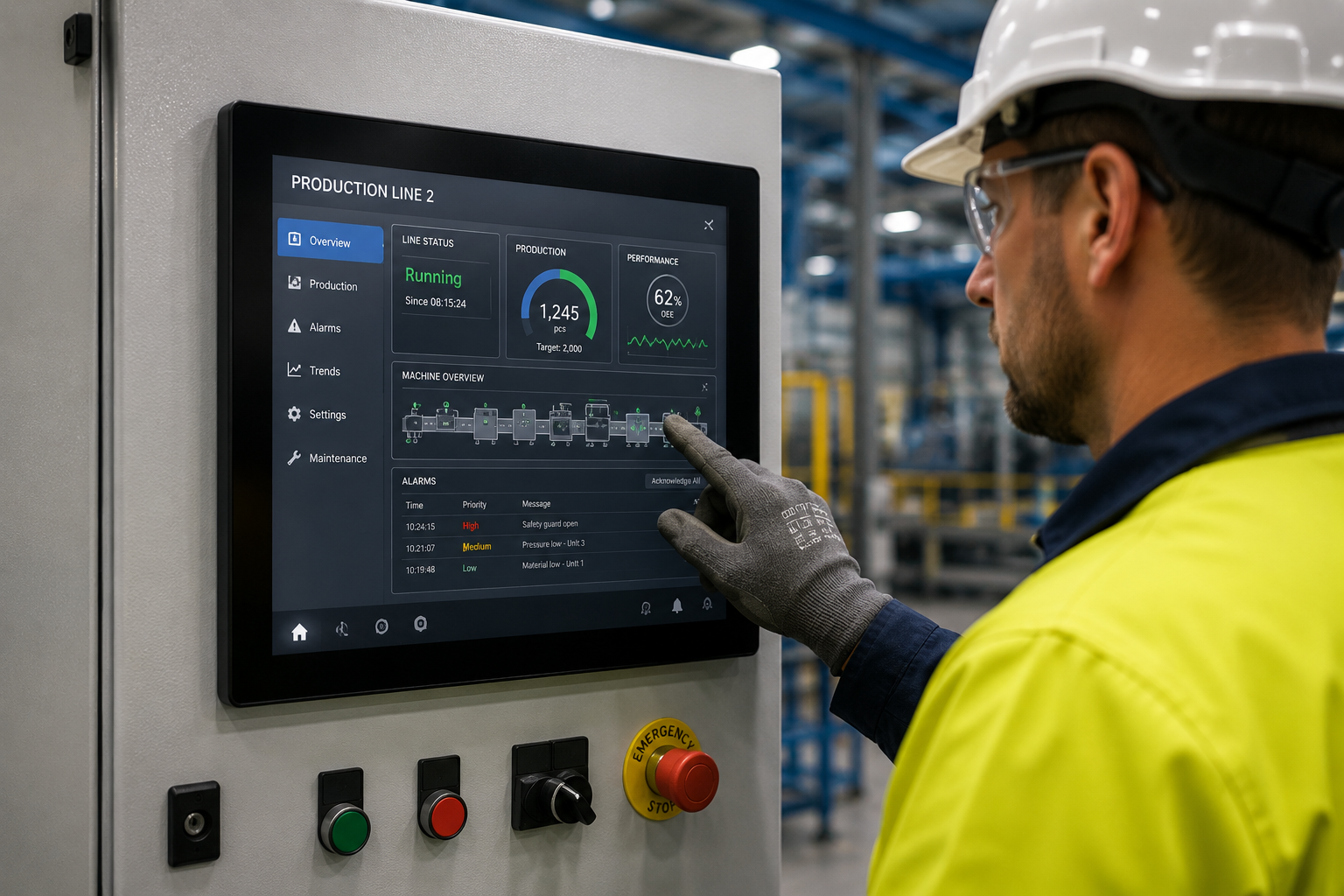
The factory-floor conditions your display has to survive
Before you look at any screen, list what the environment will throw at it. The specification follows from the conditions, not the other way around. On most factory floors and production lines, five conditions drive the decision.
- Dust and airborne particles. Sawdust, flour, metal swarf, and packaging fibres settle on hot components inside any unsealed enclosure.
- Water and washdown. Food and beverage lines get hosed down, and even dry plants get condensation and splash.
- Vibration and impact. Displays near machinery take constant vibration, plus knocks from a trolley, pallet, or elbow.
- Temperature. Beside an oven or in an unheated warehouse over a Melbourne winter, the ambient temperature often sits outside what a consumer panel tolerates.
- Gloves and grime. Operators rarely have clean, bare hands, so the touch layer has to work through gloves and shrug off grease on the glass.
Two standards turn most of this into numbers you can specify. IP (Ingress Protection), set by the international standard IEC 60529, tells you how well the unit is sealed against solids and liquids. IK, set by IEC 62262, tells you how much impact it can take.
| Condition on the floor | What it threatens | What to specify |
|---|---|---|
| Dust, swarf, flour, fibres | Sealing against solids | IP6X (the 6 means fully dust-tight) |
| Splash, hose-down, washdown | Sealing against water | IP65 for water jets, IP66 for high-pressure jets, IP69K for steam cleaning |
| Knocks from trolleys, pallets, tools | Impact resistance | IK08 (5 joules) as a minimum, IK10 (20 joules) for high-traffic zones |
| Heat or cold | Panel stability and readability | Check the operating temperature range on the datasheet |
To read the codes: in an IP rating the first digit covers solids from 0 to 6, where 6 means fully dust-tight, and the second covers liquids from 0 to 9. On the IK scale, IK08 absorbs a 5-joule hit and IK10 absorbs 20 joules, with IK08 a sensible minimum for industrial use.
One honest caveat: an IK rating is measured under a controlled lab strike, so it is a guide rather than a guarantee against a full-speed forklift. Where heavy strikes are likely, mounting the screen out of the firing line beats relying on the rating alone.
A sealed display that costs more upfront is usually cheaper than the consumer screens you keep replacing, plus the downtime each failure takes with it.
Touch that works with gloves and wet hands
On a factory floor, the touch layer has to register a gloved finger, ignore water sitting on the glass, and survive cleaning. Two technologies dominate industrial use. Projected capacitive uses a smooth glass surface, like a smartphone, and can be tuned to work through gloves. Resistive responds to pressure from anything at all, including thick gloves and styluses.
Which one suits you depends on the gloves your operators wear, whether the surface gets wet, and how the unit is cleaned. We have a separate guide comparing projected capacitive and resistive touch for industrial use, including how each behaves with water pooling on the screen. The short version: match the touch technology to the glove and the moisture rather than to the headline on the spec sheet.
Panel mount, open frame, or VESA: mounting an industrial display
How a display mounts matters as much as the panel inside it, because the mount decides how it fits the machine and whether the seal holds. Industrial touch displays come in a few standard formats, and the right one depends on whether the screen sits in an enclosure, in the face of a machine, or on an arm.
- Panel mount. A panel mount monitor drops into a cut-out in an enclosure or machine fascia and seals against the front surface, so only the glass is exposed to the floor. This is the usual choice for control cabinets and machine HMIs (human-machine interfaces, the screen an operator uses to run the machine).
- Open frame. A bare display chassis with no housing, made to be built into a kiosk, cabinet, or custom enclosure. You supply the housing; the open-frame unit supplies the screen and electronics.
- VESA or arm mount. A fully housed display that bolts to a standard VESA bracket on a wall, post, or articulated arm. Useful where the screen needs to move or sit clear of the machine.
For a sealed control cabinet, a panel mount monitor with a gasket behind the bezel keeps the enclosure's IP rating intact, because the display becomes part of the sealed face instead of a hole in it. For an OEM build, open frame gives the machine builder the most freedom. We stock all three formats and can advise on cut-out sizes and bezel depths.
Brightness and 24/7 duty on a production line
A production-line display has to stay readable under bright high-bay lighting and keep running around the clock, which rules out most consumer panels. Two specifications matter: brightness and duty cycle.
Brightness is measured in nits. A consumer TV sits low on this scale, which is fine in a lounge room but washes out under industrial lighting or beside a roller door. Industrial displays run brighter so the screen stays legible on a lit floor. The brighter the surrounding light, the more brightness you need: a shaded control room needs far less than a spot facing the sun.
Duty cycle is how many hours a day the panel is rated to run. Consumer screens are often rated for around 16 hours. A line running three shifts needs a panel rated for 24/7 continuous use, built with components that handle the heat of running without a break. Pushing a 16-hour panel around the clock is one of the most common and most avoidable causes of early failure.
One more thing to check: static content. A dashboard that never changes can burn a faint permanent image into some panel types, so confirm the panel is rated for fixed-image use if the layout stays put all shift.
How to specify an industrial touch screen: a quick checklist
Specifying an industrial touch screen comes down to describing the environment accurately and matching the display to it. Run through this before you buy.
- Environment. List the dust, water, vibration, and temperature the screen will face. This sets your IP rating, IK rating, and operating temperature range.
- Touch. Decide what the operator touches it with: bare hands, thin gloves, or thick gloves. That points to projected capacitive or resistive.
- Mounting. Enclosure (panel mount), custom housing (open frame), or arm (VESA).
- Size and brightness. Match size to viewing distance and brightness to the surrounding light.
- Duty cycle. Confirm the panel is rated for the hours you will run it, up to 24/7.
- Connectivity. Check the inputs and any control or networking the unit needs to fit your system.
The quickest way to avoid an expensive mismatch is to begin with the environment and let it drive the display choice. Tell us the conditions on the floor, the gloves your operators wear, and how the unit needs to mount, and we can shortlist industrial touch displays that fit, with the IP and IK ratings to match. Send a site photo and a rough cut-out size, and we will come back with options. Manuco ships commercial and industrial displays across Australia and New Zealand from our Thomastown base.