

The display also has to handle direct sun, heat load, rain, dust, vandal risk, content access and long term service support. The right specification depends on where the screen sits, what direction it faces and how long it has to run each day.
Manuco Electronics supplies commercial outdoor display solutions from Thomastown for B2B projects across Australia and New Zealand. For project managers, AV integrators, IT teams and procurement staff, the main task is to brief the display supplier on the installation environment before the hardware is selected.
What outdoor digital signage has to survive
Outdoor display failure usually starts with a gap between the site conditions and the specification. A display that works in a shaded retail entry may struggle in a west-facing shopfront, a QSR drive-thru lane, or a transport platform with reflected afternoon sun.
Australian installations can expose screens to a mix of heat, UV, rain, wind-blown dust, condensation, vibration, public contact and long operating hours. A public information point may need vandal-resistant glass and easy service access. A retail window may need high brightness and strong thermal planning. A council space may need a sealed enclosure, clear cable entry and a mounting method that gives technicians safe access.
The specification should begin with the site. Transport stops, retail windows, shopping centre entries, QSR menu boards, event sites and outdoor kiosks all place different loads on the display. The procurement brief should describe the environment before it asks for screen size, brand or price.
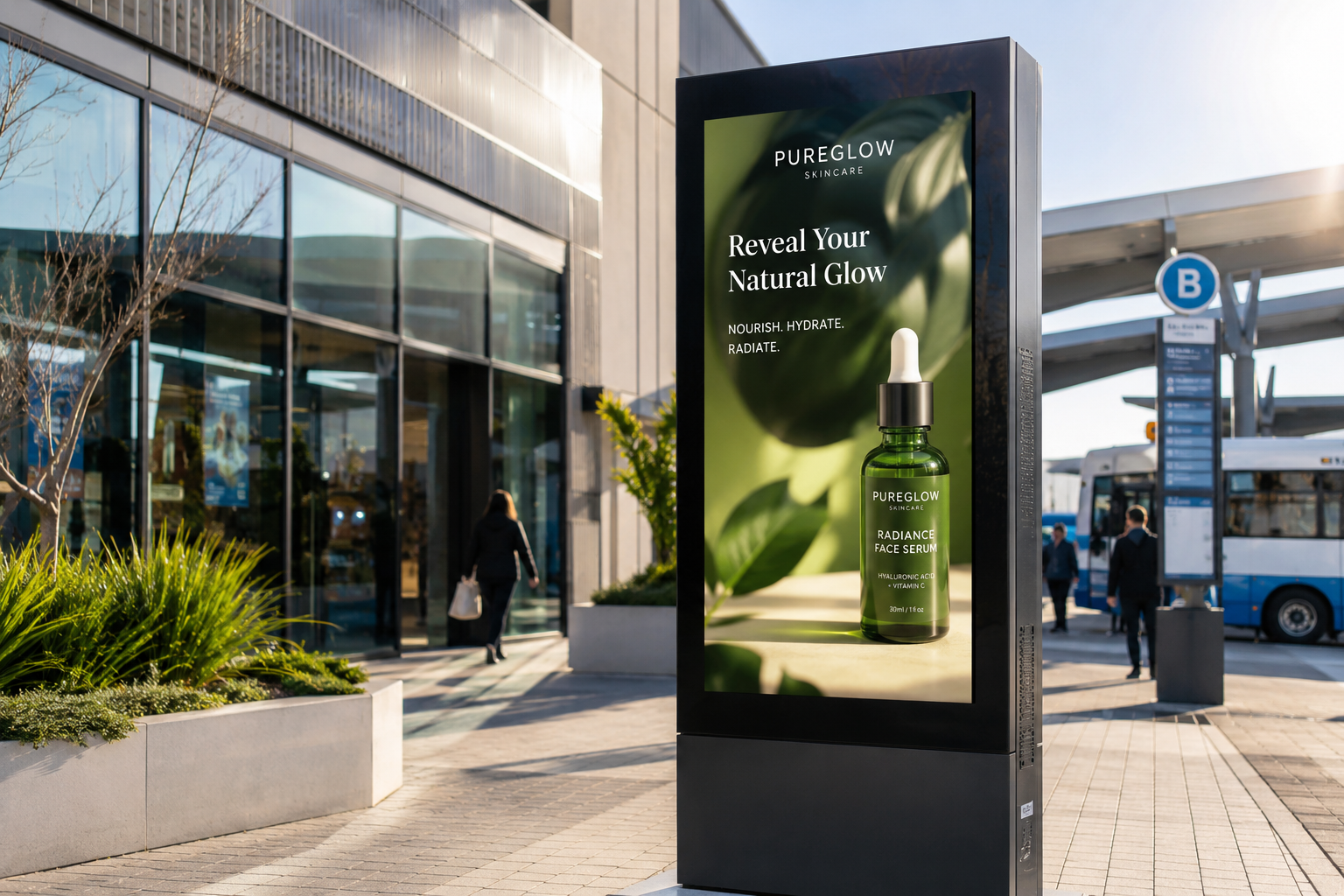
Brightness and sunlight readability
A nit is a measure of screen brightness. One nit is one candela per square metre. In practical terms, more nits means the display can produce a brighter image for high ambient light.
Brightness needs to match the amount of light falling on the screen. Covered outdoor sites, shaded entries and direct-sun sites sit in different categories. Sunlight readable digital signage also depends on anti-reflective glass, contrast, viewing angle and automatic brightness control. Brightness alone will not solve glare if the screen face reflects the sky, glass, cars or nearby buildings.
The ranges below are starting points for scoping, not fixed rules. Product datasheets and site testing should decide the final specification.
| Installation condition | Brightness starting point | What to confirm |
|---|---|---|
| Covered outdoor or shaded entry | Often 1,000 nits or above where ambient light is high | Check glare, viewing distance, opening hours and whether the display is fully weather exposed. |
| Bright shopfront or partly shaded exterior | Often 2,000 to 2,500 nits or above | Confirm glass reflection, air gap, cooling path and whether the screen receives direct afternoon sun. |
| Direct sun or exposed public-space display | Often 2,500 to 3,000 nits or above, using a purpose-built outdoor display | Confirm thermal design, automatic dimming, anti-reflective treatment, IP rating and service access. |
High brightness outdoor displays need thermal planning. A brighter backlight can create more internal heat. Direct solar load adds to that heat. The specification should look at brightness and cooling together, especially for enclosed cabinets, west-facing shopfronts and displays behind glass.
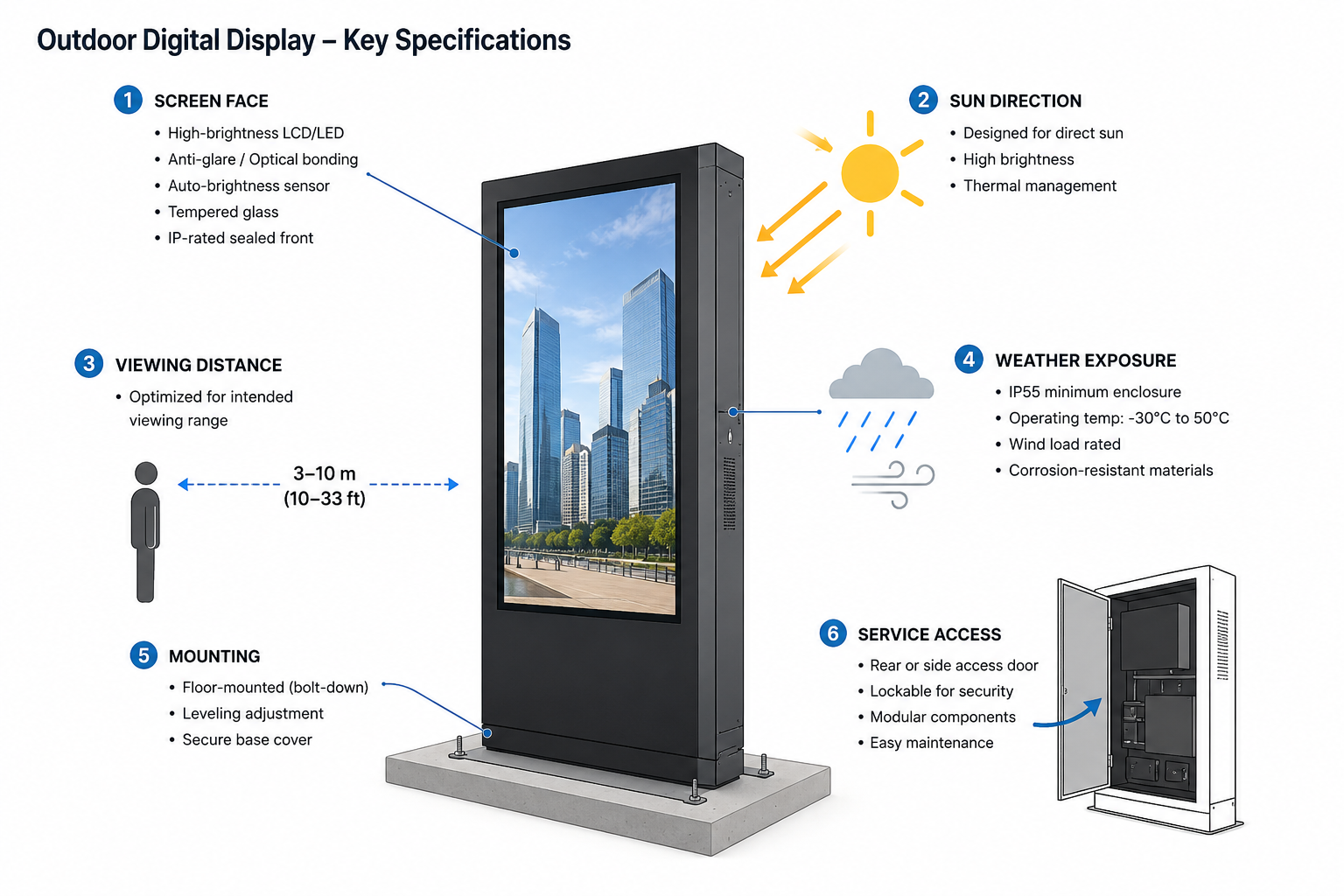
Weather protection, IP ratings and housing design
An IP rating describes how well an enclosure protects electrical equipment from solids and water. The first digit covers solids such as dust. The second digit covers water exposure such as rain, spray or jets.
Outdoor digital signage should be selected against the actual exposure. A screen under a covered walkway, a freestanding kiosk, a coastal public site and an industrial yard do not need the same housing design. IP65 and IP66 ratings are common examples in outdoor electrical enclosures and display ranges, but the right rating depends on rain direction, dust, cleaning method, drainage and cable entry.
An outdoor display is more than an indoor panel placed inside a box. The enclosure has to manage air flow, heat exchange, condensation, water drainage, seals, glass, cable glands, mounting points and technician access. A sealed enclosure with poor thermal design can create reliability problems even when the IP number looks strong on paper.
IK ratings may also matter in public locations. An IK rating measures impact protection for an enclosure or protective glass. IK10 is a common high-impact reference point, equal to 20 joules on the rating scale. It should be treated as a vandal-resistance specification, not a guarantee that the display cannot be damaged.
Heat, operating temperature and duty cycle
Operating temperature is the range in which a display is designed to run. Duty cycle describes how long the display is rated to operate, such as extended-hours use or 24/7 operation.
Australian outdoor projects need to consider panel temperature, air temperature and solar load together. Direct sun through glass can lift internal temperature well above the weather forecast. West-facing shopfronts, enclosed cabinets and dark mounting surfaces can increase the heat load during the afternoon.
Commercial-grade panels are designed for longer operating schedules than consumer screens. The exact duty cycle still depends on the model. Some commercial displays are rated for 18/7 use, while outdoor signage models may be rated for 24/7 operation. The procurement brief should ask for the display duty cycle in writing, then match it to the planned content schedule.
Operating temperature ranges are also model-specific. Indoor commercial displays may list a 0 C to 40 C operating range. Purpose-built outdoor signage can list wider ranges, such as sub-zero operation through to 50 C, depending on the product. The supplier should confirm the datasheet value and explain how the enclosure manages solar load at the planned site.
Matching the display to the application
The right outdoor display depends on what the screen has to do, where it is mounted and how the content is managed. A QSR lane, shopfront window and transport platform can all use outdoor digital signage, yet each one has a different specification risk.
| Application | Common exposure issue | Specification priorities | Support notes |
|---|---|---|---|
| Retail shopfront window | Glare, reflected light and trapped heat behind glass | High brightness, anti-reflective treatment, viewing angle, thermal path and automatic dimming | Confirm screen orientation and whether the display faces morning or afternoon sun. |
| QSR drive-thru lane | Sun, rain, traffic exposure and long daily operating hours | Outdoor-rated enclosure, readable menu content, brightness control, service access and cable protection | Plan safe technician access so maintenance does not block the lane for longer than needed. |
| Public transport stop or platform | Weather exposure, passenger contact, glare and long service life expectations | Weather sealing, high brightness, robust mounting, content integration and replacement planning | Link the display brief to passenger information display requirements and the content feed. |
| Shopping centre or public wayfinding screen | Public contact, wayfinding legibility and mixed lighting | Viewing distance, impact protection, accessible placement, content scheduling and easy updates | Confirm whether the screen is purely informational or needs advertising content support. |
| Outdoor kiosk or interactive point | Touch use, rain, dust, heat and public wear | PCAP touch option, sealed housing, glare control, service door access and user-height placement | Confirm whether touch remains reliable with wet fingers, gloves or high public use. |
| Coastal or high-dust public site | Salt, wind-blown dust, corrosion risk and cleaning exposure | Higher enclosure protection, suitable materials, cable sealing, drainage and cleaning access | Confirm cleaning method before specifying the water-ingress rating. |
Duty cycle is the number of hours a panel is designed to operate each day. Common commercial categories include business-hour operation, extended-day operation and 24/7 operation. A reception screen may not need the same duty cycle as an operations display that runs continuously.
Brightness is measured in nits, which describe the visible light output of a screen. Indoor office displays usually need a different brightness level from shopfront or outdoor digital signage. A shaded meeting area, glass lobby and atrium walkway can all require different brightness choices.
Commercial display monitors also need to match the installation environment. Screens in recessed joinery, wall niches and custom cabinetry need airflow, cable access and a service path. A display that looks clean on a fitout drawing can become difficult to support if service access is ignored.
What specifiers should confirm before procurement
A clear site brief reduces the risk of buying a screen that looks suitable on paper and struggles after installation. The checklist below gives the supplier the information needed to shortlist practical options.
- Location and orientation: Record whether the screen faces north, south, east or west, and note any nearby glass, metal, vehicles or buildings that may reflect light.
- Direct sun exposure: Identify the hours when direct sun reaches the screen face, especially in summer and during late afternoon.
- Required viewing distance: Confirm how far away the viewer will be and whether the content needs large text, wayfinding arrows, menus or timetable information.
- Operating hours: State whether the screen runs during business hours, extended hours or 24/7.
- Content update method: Confirm whether content will be updated by USB, media player, local network, cloud platform or an integrated passenger information system.
- Touch or non-touch requirement: For kiosks and ordering points, confirm touch technology, user height, weather exposure and access needs.
- IP and IK requirements: Match dust, water and impact protection to the site rather than defaulting to a single rating.
- Mounting and power access: Confirm wall, pole, freestanding or cabinet mounting, plus safe cable routes and power availability.
- Service and replacement pathway: Ask how the screen can be opened, removed, repaired or replaced after installation.
- Local stock or support requirements: For critical sites, confirm support timing and whether replacement options can be sourced locally.
Where Manuco fits into the specification process
Manuco is a multi-brand distributor and advisor, rather than a display manufacturer. That position matters when the project needs a specification matched to the environment, budget, content method and support pathway.
For outdoor digital signage solutions, Manuco can review the installation environment and help shortlist suitable commercial display options from its partner-brand range. The Thomastown support base also gives project teams a local contact for specification checks, replacement planning and lifecycle support.
Before procurement, send Manuco the site location, orientation, mounting plan, exposure notes, operating hours, screen size range, content update method and any touch requirement. That gives the team enough information to recommend a realistic outdoor display shortlist instead of quoting a screen in isolation.